
Making query strings agnostic
- English
- 日本語
Under normal circumstances, Fastly would consider these URLs different objects that are cached separately:
http://example.comhttp://example.com?asdf=asdfhttp://example.com?asdf=zxcv
It is possible, however, to have them all ignore the query string and return the same cached resource.
- Log in to the Fastly control panel.
- From the Home page, select the appropriate service. You can use the search box to search by ID, name, or domain.
- Click Edit configuration and then select the option to clone the active version.
- Click Content.
Click Create header.
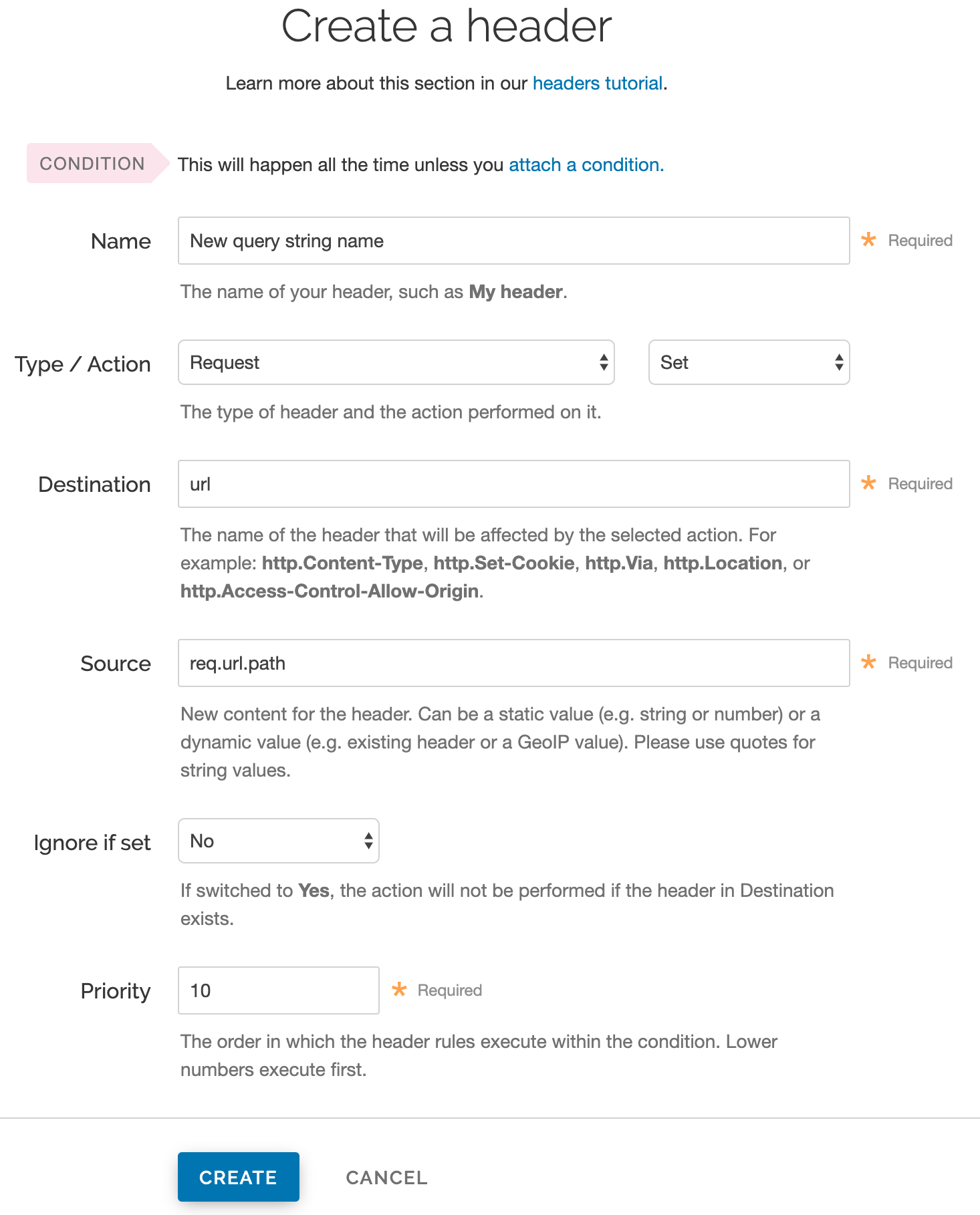
Fill out the Create a header fields as follows:
- In the Name field, enter a description for the header (e.g.,
New query string name). - From the Type menu, select Request, and from Action menu, select Set.
- In the Destination field, enter
url. - In the Source field, enter
req.url.path. - From the Ignore if set menu, select No.
- Set the Priority field to whatever priority you want.
- In the Name field, enter a description for the header (e.g.,
Click Create to create the new header.
- From the Activate menu, select Activate on Production to deploy your configuration changes.
The request will be sent to the origin as a URL without the query string.
For more information about controlling caching, see our documentation on cache freshness.
